Spring - Video Editor & Maker MOD APK v1.4.6.35442 (Premium Unlocked) Download
Spring - Video Editor & Maker MOD APK is a video editing application developed by KineMaster. Download this application on website!
App Information
- Updated On
- September 19, 2025
- Google Play ID
- com.kinemaster.app.spring
- Category
- Photos & Videos
- Version
- 1.4.6.35442
- Size
- 146 MB
- MOD Features
- Premium Unlocked
- Requires
- Android 8.0
- Price
- Free
- Content Rating
- Teen
- Internet Required
- Unknow
Screenshots
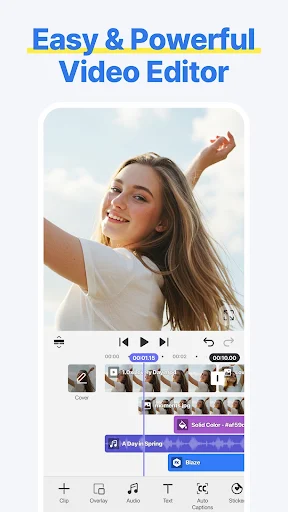
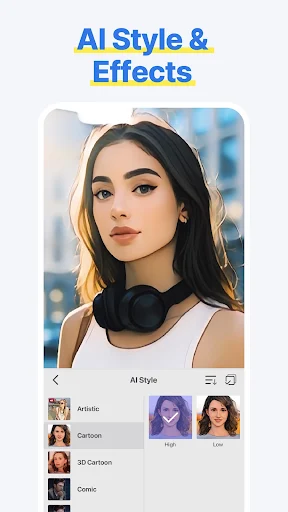
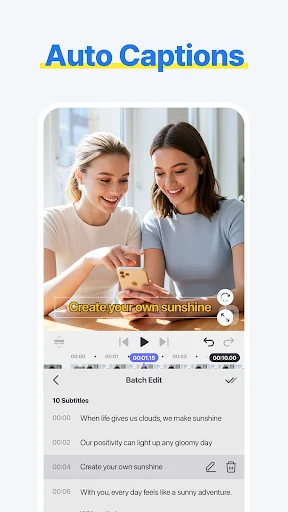
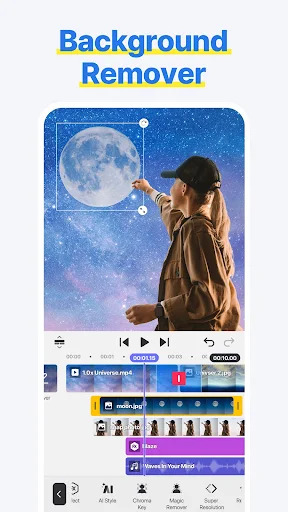
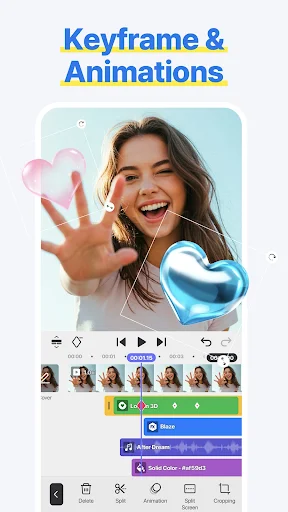
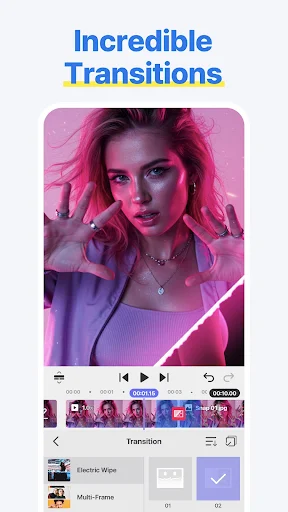
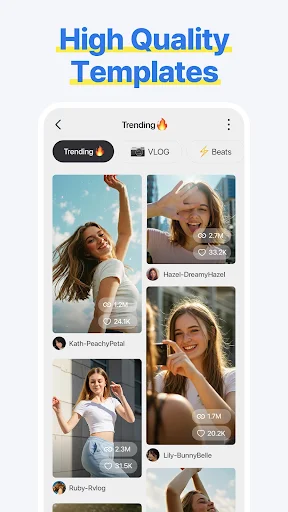
Spring – Video Editor & Maker MOD APK is a video editing application developed by KineMaster. This application is often used to create short vertical screen videos commonly seen on Reels, YouTube Shorts, TikTok. With simple and familiar operations, Spring – Video Editor & Maker quickly received many likes from users. Currently, this application has more than 1 million downloads and 4.4 star reviews on Google Play.
Introduce about Spring – Video Editor & Maker
Released in late June 2024, the Spring – Video Editor & Maker application quickly became famous in the user community who love editing short videos. Although not as powerful as CapCut, this application is considered one of CapCut’s potential competitors. What do you think about this application? Let’s learn more about Spring – Video Editor & Maker in this article.
Easily create, edit videos with Spring
Like many other video creation and editing applications, Spring – Video Editor & Maker provides users with a simple but fully featured editor. Although there is nothing too special, the basics are always well received by users. Here you can quickly select videos or images available in your memory to create new videos.
Using available tools such as cutting, merging images, adding music, adding subtitles, you can create a video in your own style. After a period of experiencing Spring – Video Editor & Maker, we found that most of the features that CapCut owns, this application has. In addition, this application also has some special features that will be revealed below.
Spring with the help of AI
As you know, AI technology is currently developing at a dizzying speed. Therefore, AI is used in many different fields. Spring – Video Editor & Maker also provides users with many AI functions such as:
- Automatic subtitle creation with AI: Convert voice audio into subtitles instantly.
- Support subtitle to voice conversion: Turn your subtitled video into a voice-over video. Quite similar to current movie and story review videos.
- Quickly combine music with AI suggestions.
- Remove background, reduce image noise by AI.
Provide many hot video templates
If you are stuck for ideas when creating short videos, check out the templates available at Spring – Video Editor & Maker. In the Templates feature, a series of pre-made video templates are waiting for you to explore. These are all templates designed by users, arranged according to current trends. There are many prominent hashtags such as #reels, #photo, #intro, #marketing.
Each type has a variety of templates and styles as well as different number of inputs. However, I personally find that the number of templates of Spring – Video Editor & Maker seems quite modest compared to CapCut. Perhaps because this is a young platform and has not attracted as many users as CapCut.
Advantages of Spring
Spring – Video Editor & Maker, although launched quite late, this application is trusted because it has many advantages. Typically:
- Easy to use for beginners.
- No watermark even if you use the free version.
- Suitable for creating videos for social networks such as TikTok, YouTube Short, Reels.
- With the free version, you can still use many features such as keyframe, AI, export 4k 60FPS…
Disadvantages of Spring
Most of the disadvantages of Spring – Video Editor & Maker come from the free version. Simple as:
- Mild ads appear in the free version.
- You need the Pro version for more in-depth editing, merging, processing more files…
- You need a device with a mid-range configuration to be able to smoothly handle large input capacity even if you own the Pro version.
So should you use Spring or CapCut?
This is a pretty good question for those who are new to video creation and editing applications. Personally, I think both of these applications have their own strengths and weaknesses. It all depends on the needs of each user. You can refer to some of our suggestions:
- If you need a simple, easy-to-understand, fast application that does not require a login, choose Spring – Video Editor & Maker.
- If you want to catch the TikTok trend and need many hot templates, use CapCut.
- If you do not want to see ads and have a light capacity for your device, Spring – Video Editor & Maker is the best choice.
- If you are willing to pay to use the Pro version, you can choose any application.
MOD APK version of Spring
MOD Feature
Premium Unlocked
Download Spring – Video Editor & Maker APK for Android
Spring – Video Editor & Maker is rated by many experts and users as easy to use and suitable for beginners. With this application, you can create short videos that meet your needs. In addition, many powerful AI support tools are waiting for you to explore. Download Spring – Video Editor & Maker MOD APK here and you can freely create the hottest videos.
Staff Editor
Reviewed and curated by our editorial team