
Stick Nodes Pro APK v4.2.5 (Full Paid) Download for Android
Stick Nodes Pro APK is a handmade stickman animation video creation application, developed for mobile platforms. Get it now!
App Information
- Updated On
- September 17, 2025
- Google Play ID
- org.fortheloss.sticknodespro
- Category
- Art & Design
- Version
- 4.2.5
- Size
- 82 MB
- MOD Feature
- Not available
- Requires
- Android 5.0
- Price
- $3.99
- Content Rating
- Everyone
- Internet Required
- Unknow
Screenshots
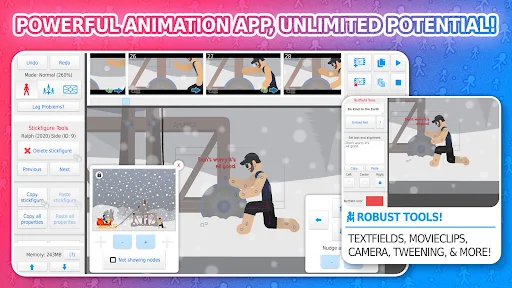
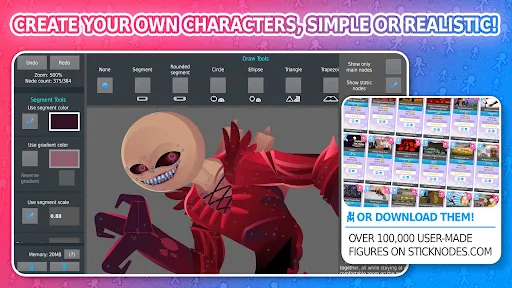
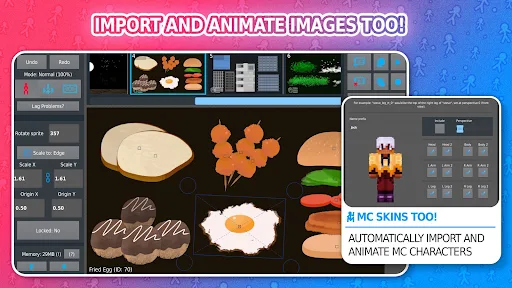
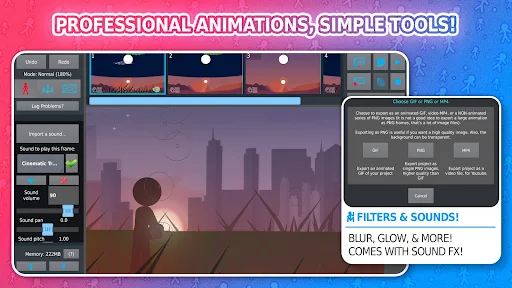
Stick Nodes Pro APK is a handmade stickman animation video creation application, developed for mobile platforms. The application is developed and published by ForTheLoss Games on Google Play and App Store.
Introduce about Stick Nodes Pro
Create and animate stickman characters on Stick Nodes Pro APK
Stick Nodes Pro works on the principle of rotating and translating character parts frame by frame. Each part (arm, leg, neck, head, …) of a character model will have a pivot point (center of adjustment). You can touch the pivot once to select the part to adjust, then move your finger on the screen to get the pose you want.
Once you’ve finished a frame to your liking, you can create a new frame and continue adjusting. Stick Nodes Pro also features automatic frame-by-frame browsing, so you can preview the results without having to manually select frames.
Note that in Stick Nodes Pro, the newly created frame will have the pose and attributes of all the characters in the previous frame. Non-character details such as background and scenery will not be carried over from the previous frame. If you want to create a new frame with all the attributes of the old frame, you must use both the copy and paste features at the same time.
Easier frame sync with onion skin
Onion skin is a feature that displays the previous or next frame of the character on the current frame as a shadow. Onion skin is very good for animating frames from information from the previous frame without having to click back and forth between two frames. Stick Nodes Pro also allows you to customize the number of previous and next onion skin frames in the “View options” section. Note that the more onion skin frames, the heavier the application will be and may cause the application to lag.
Significantly reduce workload with tween
As you know, the smoother the animation, the more frames are needed in that animation. If you animate manually, the large number of frames means that you will spend a lot of time and effort to process them. Stick Nodes Pro has a tween feature to support you in the above problem. Tween in Stick Nodes Pro will automatically interpolate and create subframes between the main frames you have created. From there, your animation will become extremely smooth.
The subframes that Stick Nodes Pro creates with the tween feature are treated like normal frames. You can manipulate them like any other frame. Subframes will also have a green marker on their position indicator, so you can distinguish them from the main frames, avoiding confusion.
Stick Nodes Pro’s tween can only interpolate simple animations along circles, lines, or arcs. So if you use a tween when your two keyframes’ object has a complex animation, the results won’t be as expected. You’ll need to manually animate additional frames to break up the character’s actions and reduce the complexity before using a tween.
Character creation with Creation Mode Tools
In Stick Nodes Pro, you can use Creation Mode Tools to create your own character. In Creation Mode Tools, the application will provide you with a few simple shapes. You can use these shapes, combined with rotation, movement, zoom, and color change features to realize the character from your imagination. In particular, if you want the parts to be elastic like rubber, you can check “Smart – stretch node”.
Once finished, you can save your work to the Stick Nodes Pro library, or save it to your phone’s memory to avoid losing it if you uninstall the app.
Unfortunately, Stick Nodes Pro does not have the ability to draw and attach bones to characters. So you can only create characters with simple details. However, if you spend enough time and imagination on this feature, you can create interesting characters with just the basic shapes provided by the application. Not only characters, you can also create objects such as planes, trains, or effects such as fire, lightning and use them in your animations.
Download Stick Nodes Pro APK for free on website!
Stick Nodes Pro has a lot of features, both powerful and interesting. Not only that, both the interface and usage of Stick Nodes Pro are very simple. Are you an animation enthusiast? Stick Nodes Pro will be the first brick for your animation career. Stick Nodes Pro costs $ 3.99, you can consider downloading this application for free on website.
Staff Editor
Reviewed and curated by our editorial team


